
Product and BSR research
Review Best Sellers Rank, price, ratings, review counts, sponsored status, and estimated sales and revenue on supported Amazon pages.
Explore products and competing listings, assess keyword ideas, save research evidence, and follow listing changes—all in one browser workflow.
Research data available on Amazon pages. Saved research is stored locally in your browser by default.
Seller Toolkit brings product signals and saved research into your Amazon workflow—without making you manage another spreadsheet.
Review Best Sellers Rank, price, ratings, review counts, sponsored status, and estimated sales and revenue on supported Amazon pages.
Start with Amazon autocomplete. Pro adds A–Z and Related Search expansion, keyword competition data, and CSV export.
Use Market Pressure and Niche Snapshot to organize the competitive signals available from sampled listings.
Capture product and market details so you can revisit what you found instead of relying on memory.
Compare saved snapshots to see how listing details and market conditions have changed over time.
Follow product ASINs and review a history of changes, with tracking and background monitoring available in Pro.
From the first search to the next time you revisit a listing.
Review search results, products, keywords, and competitive signals.
Capture useful listing and market details for later reference.
Compare saved snapshots rather than starting from scratch.
Follow products over time and see what changes between snapshots.
Real extension screens showing product research, keyword exploration, review analysis, and tracked products.
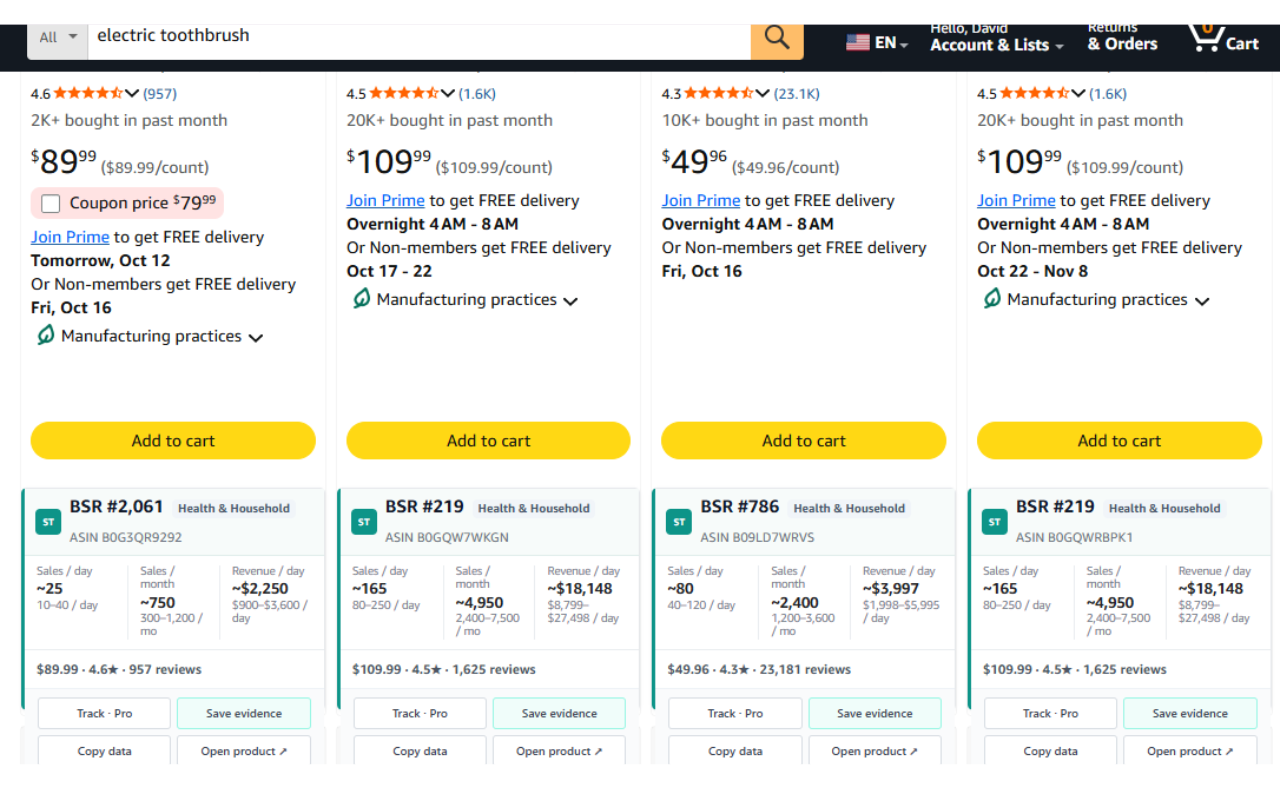
View BSR, estimated sales, revenue, ratings, reviews, and quick research actions alongside search results.
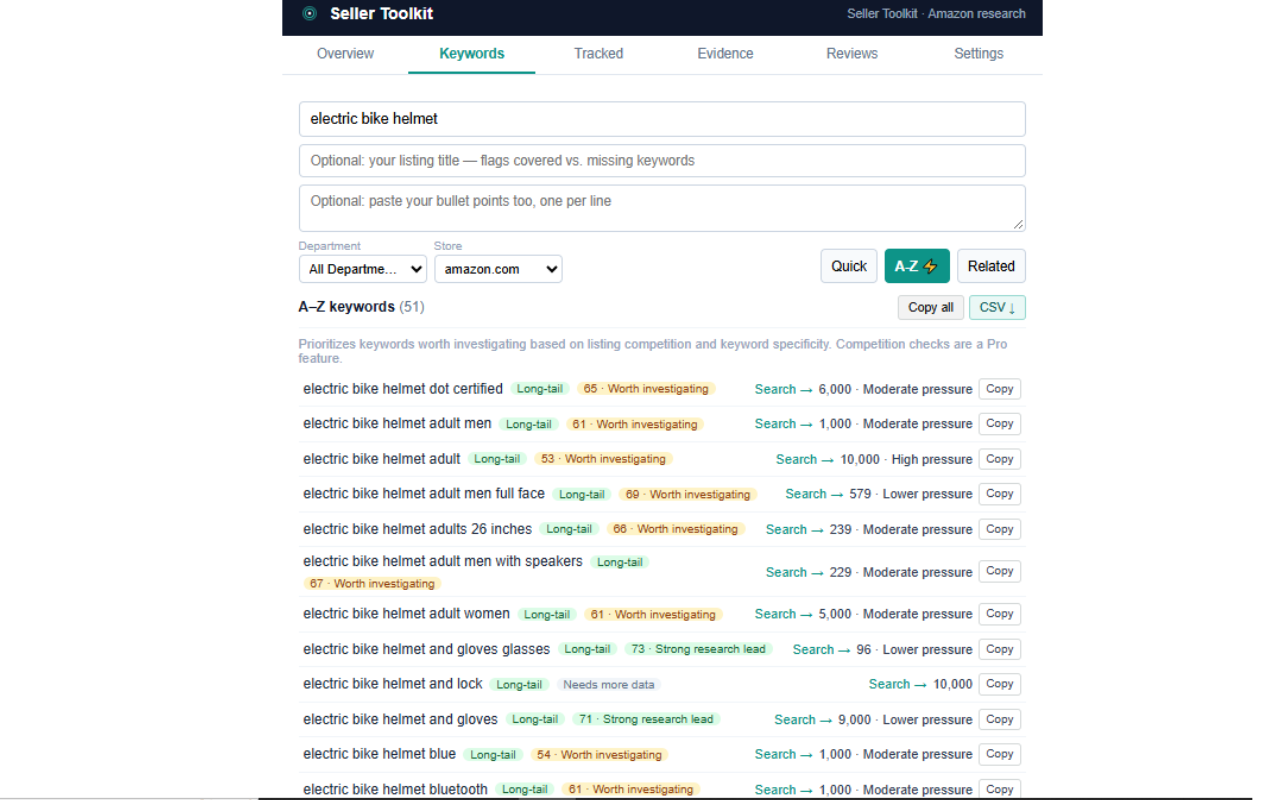
Expand keyword ideas, review research lead indicators, and examine Market Pressure across keyword suggestions.
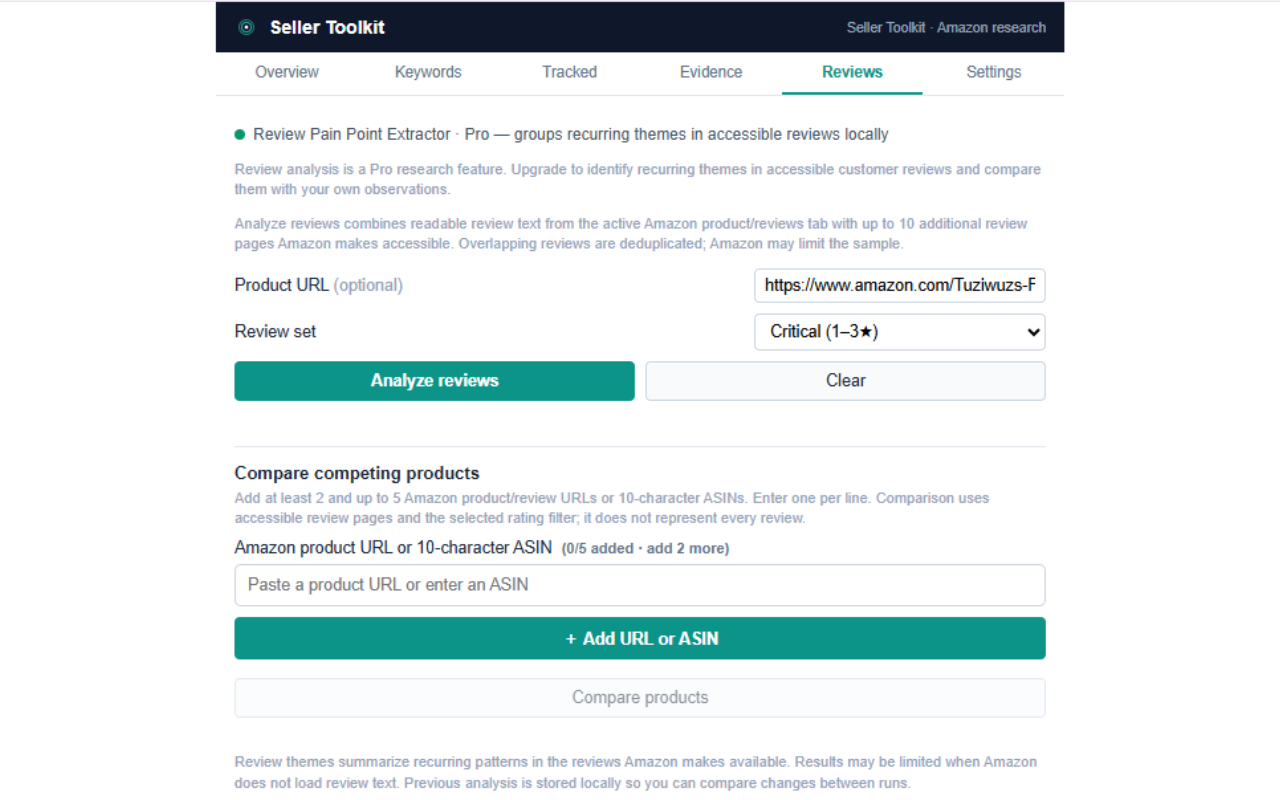
Analyze accessible review text to identify recurring themes and compare competing products. Pro feature.
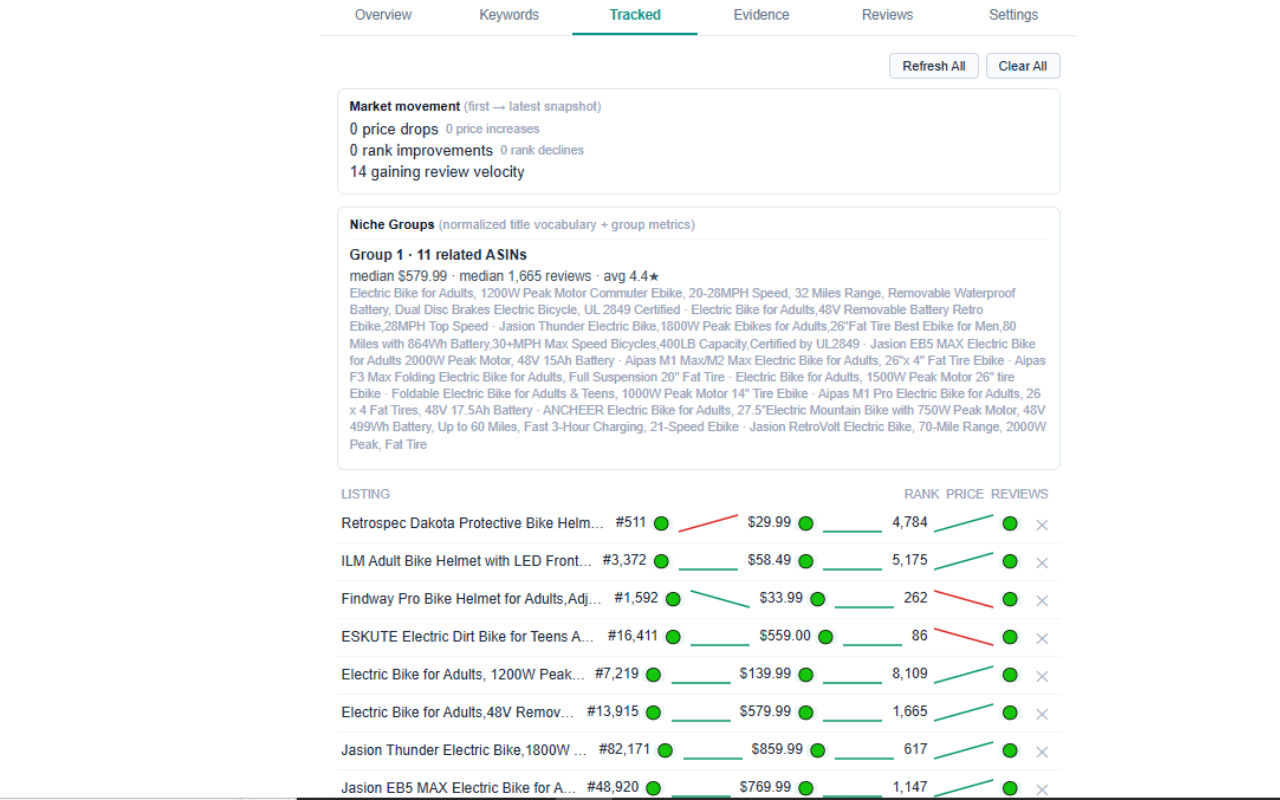
Review tracked products, market movement, and changes in rank, price, and reviews over time. Pro feature.
Use the core research workflow for free, then choose a Pro plan for deeper keyword, review, and tracking tools.
Core Amazon research and evidence capture.
Unlock advanced keyword, review, and tracking features.
The Pro links open Gumroad, where available billing options and current prices are shown. Features may vary by plan. Seller Toolkit is an independent research tool and is not affiliated with or endorsed by Amazon.
Seller Toolkit stores saved research locally in your browser by default. Review the extension's privacy policy for details about data handling and permissions. Amazon estimates and sampled listing signals are research aids, not guarantees of sales, demand, or profitability.
Bring product research, keyword exploration, saved evidence, comparison, and tracking into one practical workflow.